
Cách lấy lại, đổi mật khẩu trên MacBook khi bị quên
1. Cách lấy lại mật khẩu MacBook dùng chip Intel
Bước 1: Giữ nút nguồn để tắt thiết bị.
Bước 2: Giữ tổ hợp phím Command + R và mở thiết bị bằng nút cứng.
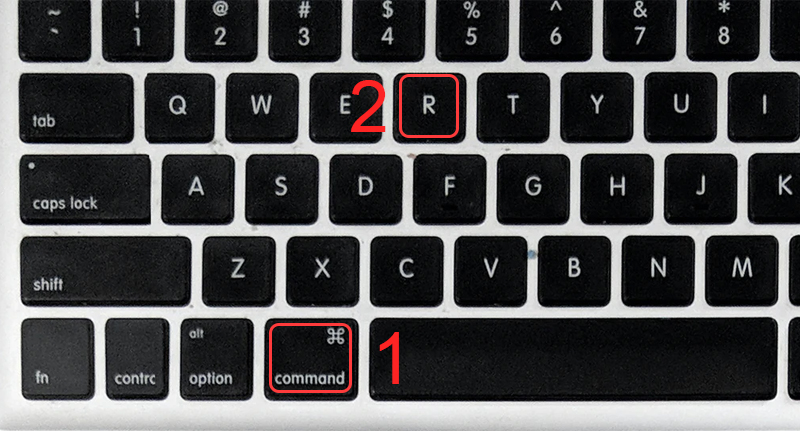
Nhấn tổ hợp phím Command + R
Bước 3: Chọn Utilities > Chọn Terminal.
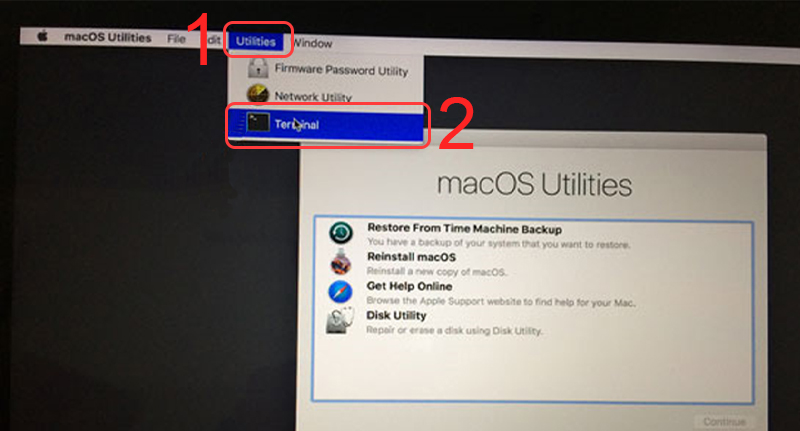
Chọn Terminal
Bước 4: Nhập “resetpassword” > Nhấn Enter.
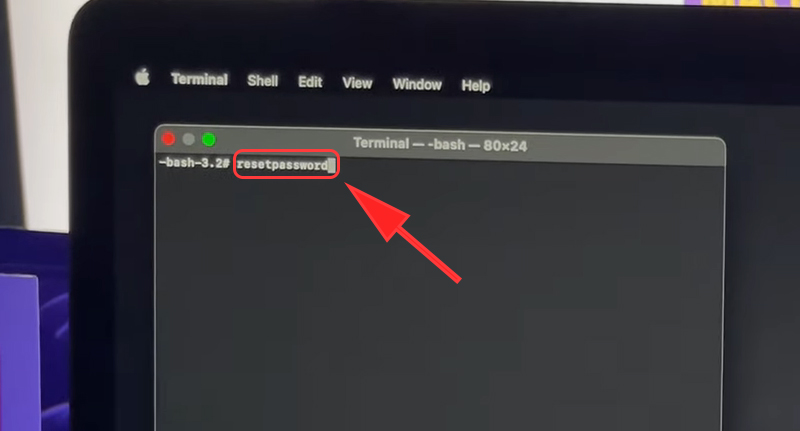
Nhập resetpassword
Bước 5: Xác nhận thông tin Apple (nếu dùng bảo vệ hai lớp) > Chọn Continue.
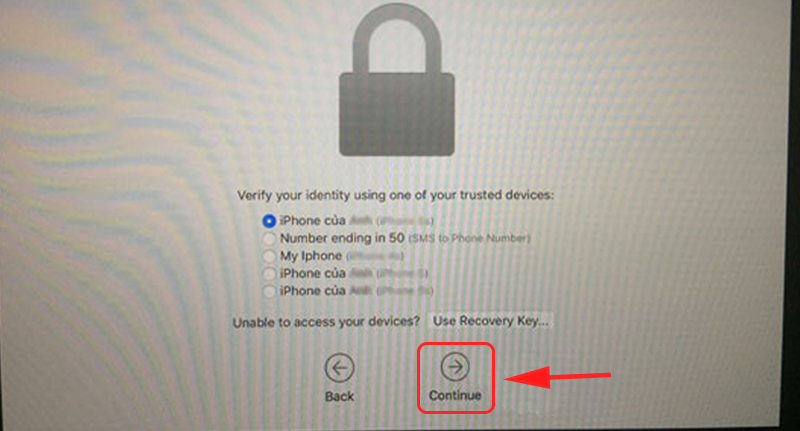
Xác nhận thông tin Apple
Bước 6: Nhập code Apple gửi về > Chọn Continue.
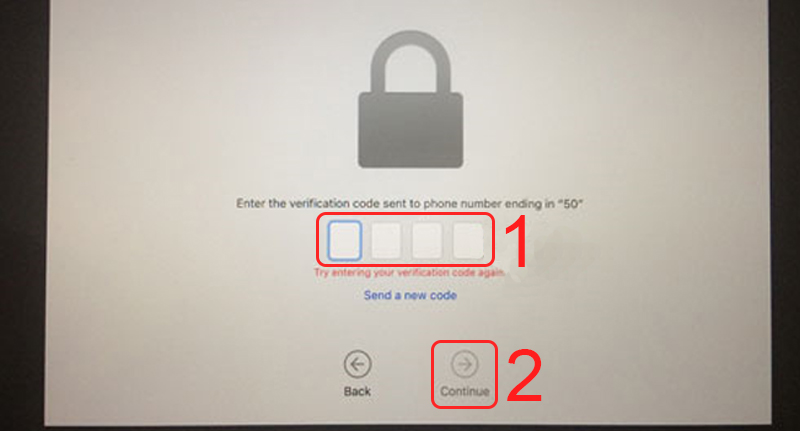
Nhập code Apple gửi về
Bước 7: Tiến hành đặt lại mật khẩu mới.
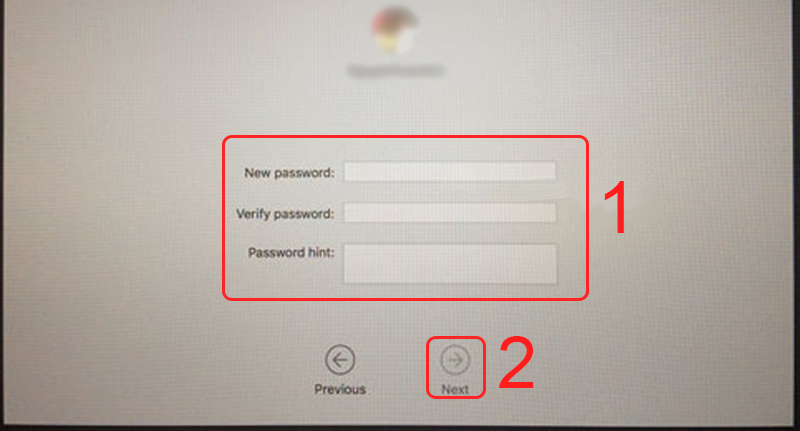
Đặt mật khẩu mới
2. Cách lấy lại mật khẩu MacBook M1
Bước 1: Giữ nút nguồn để tắt thiết bị hoàn toàn.
Bước 2: Giữ nút nguồn lần nữa đến khi thiết bị hiển thị các tùy chọn.
Bước 3: Chọn Options > Chọn Continue.
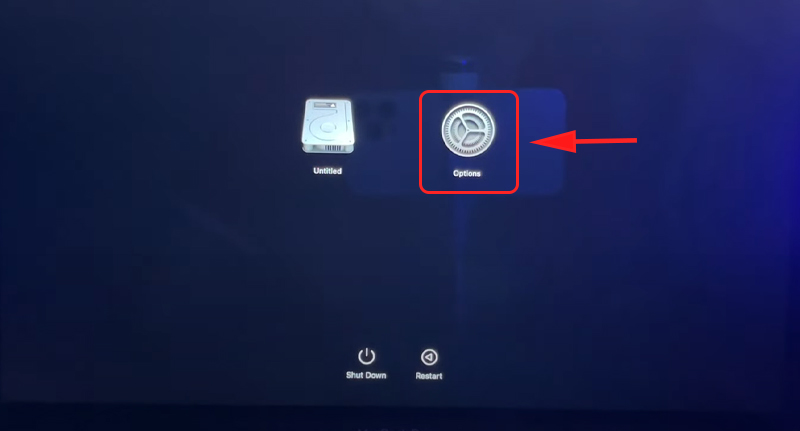
Chọn Options
Bước 4: Chọn Utilities > Chọn Terminal.
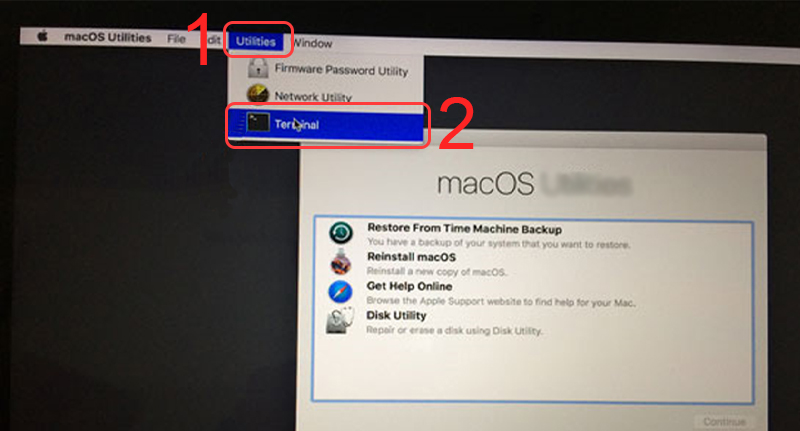
Chọn Terminal
Bước 5: Nhập “resetpassword” > Nhấn Enter.
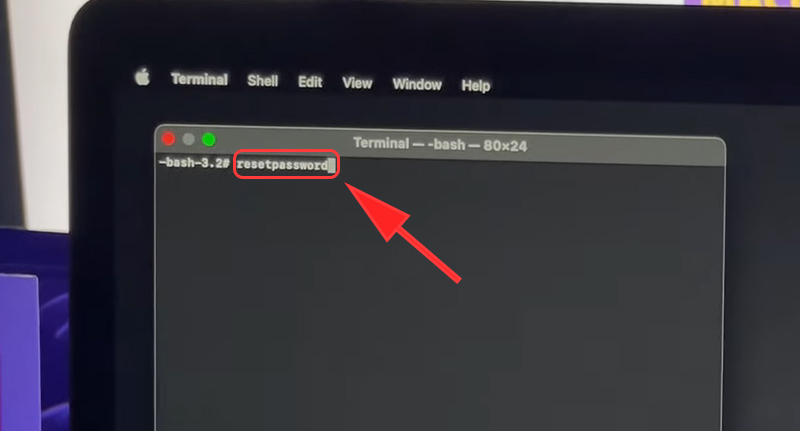
Nhập resetpassword
Bước 6: (Nếu máy có iCloud) Chọn Deactivate Mac > Chọn Deactivate.
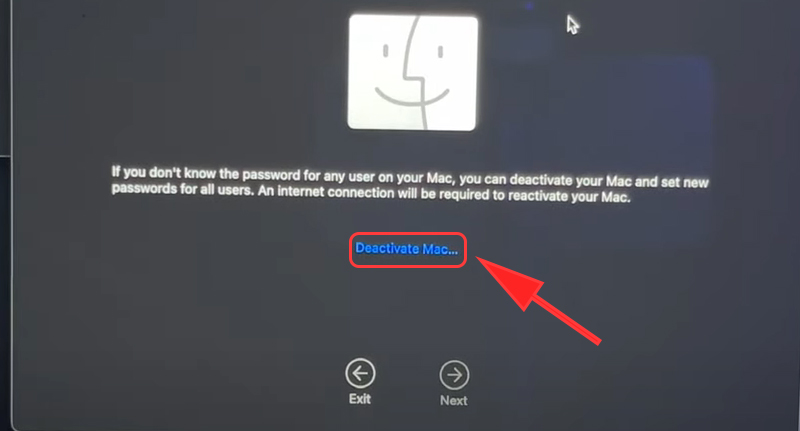
Chọn Deactivate Mac
Bước 7: Đăng nhập tài khoản iCloud > Tiến hành đặt lại mật khẩu.
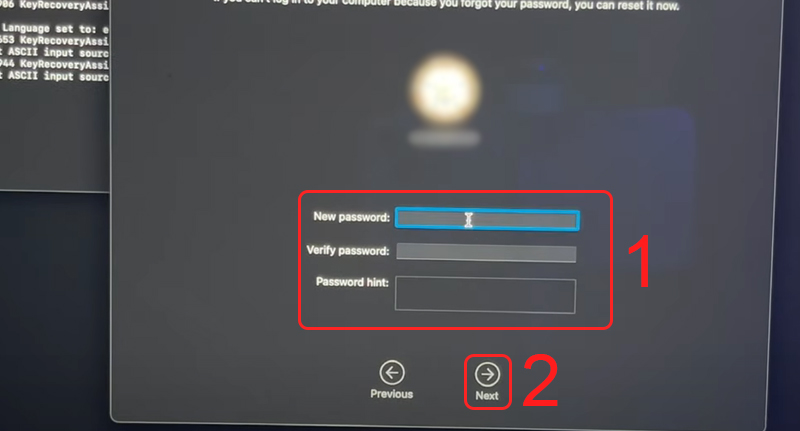
Đặt lại mật khẩu
Đợi thiết bị khởi động lại là bạn đã thay đổi mật khẩu MacBook thành công rồi đó!
3. Thay đổi mật khẩu MacBook từ tài khoản khác
Nếu bạn có nhiều tài khoản khác trên thiết bị của mình mà bạn còn nhớ mật khẩu của các tài khoản đó, bạn có thể sử dụng chính những tài khoản đã biết mật khẩu này để đặt lại mật khẩu cho tài khoản mà bạn đã quên.
Trường hợp này chỉ áp dụng cho việc bạn mở được thiết bị và đang sử dụng thiết bị.
Bước 1: Nhấn tổ hợp phím Command + Shift + Q để đăng xuất tài khoản quên mật khẩu.
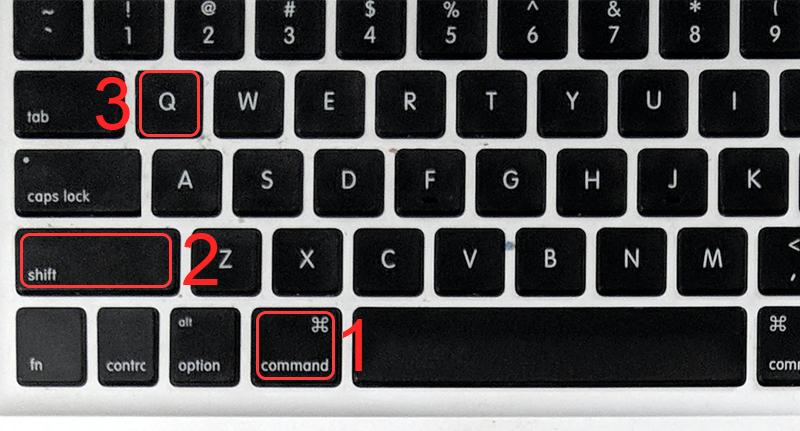
Chọn tổ hợp phím để đăng xuất tài khoản
Bước 2: Đăng nhập tài khoản khác bạn còn nhớ mật khẩu > Chọn Tùy chọn hệ thống.
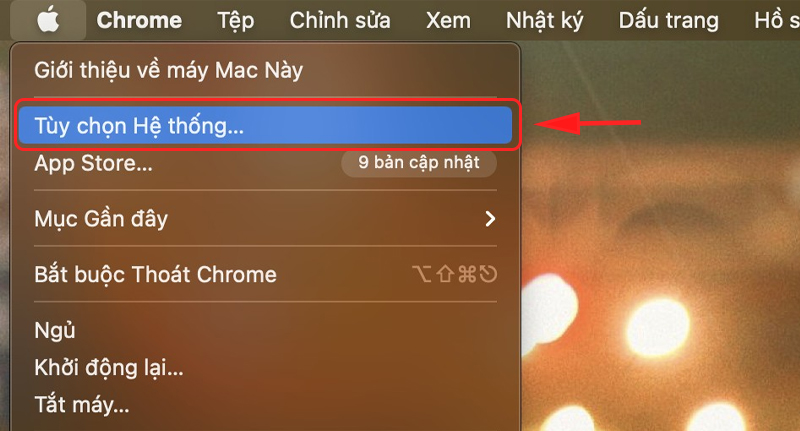
Chọn Tùy chọn hệ thống
Bước 3: Chọn Người dùng & nhóm.
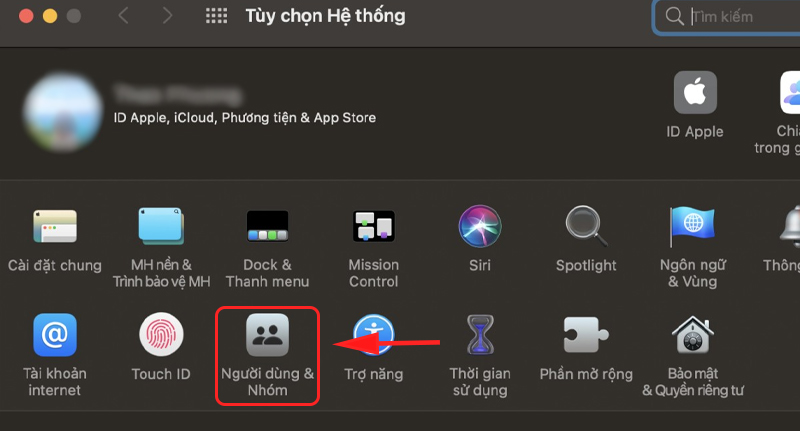
Chọn Người dùng và nhóm
Bước 4: Chọn mở khóa ở phía dưới bên trái.
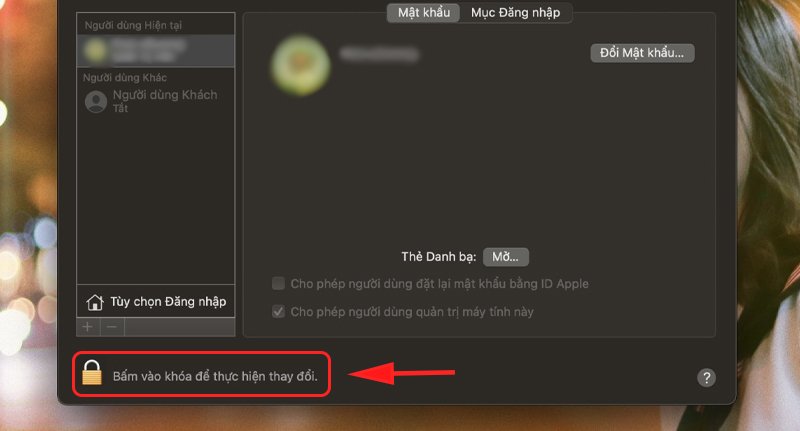
Chọn ô mở khóa
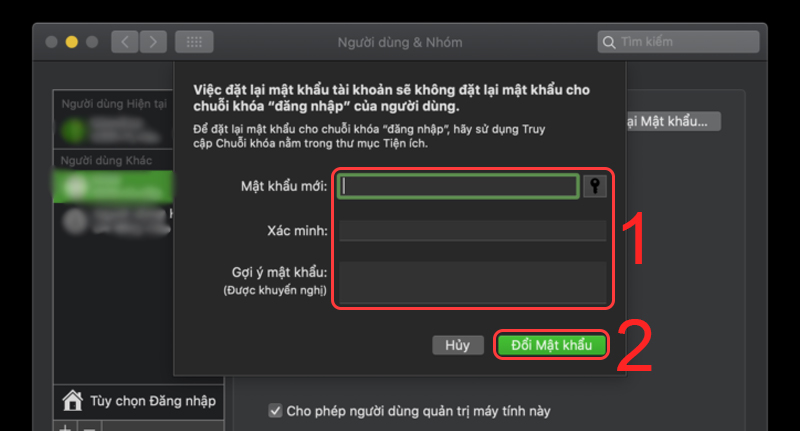
Bước 5: Chọn tài khoản bạn đã quên mật khẩu > Nhấp vào và tiến hành đặt lại mật khẩu.

A wim44 tem umas promoções bem interessantes! Fiquei de olho e consegui uns bônus legais. Fiquem ligados! wim44
Sprunki Incredibox is a fun twist on the original, adding fresh beats and cool visuals. It’s great for both new and experienced players. Check out more creative games at Adventure Games!
Keno’s randomness is fascinating! Seeing platforms like 789taya slot download focus on a visually clean experience & secure deposits (like GCash!) is a smart move. Makes the game even more enjoyable, honestly. Legit platforms are key!
Great insights on cognitive biases in gambling-so true how they’re embedded in game design. As someone who uses the AI Repurpose Assistant to streamline workflows, I appreciate the balance between psychology and practicality in modern tools.
Hey guys! Just checked out b2xbetlogin – seems like a decent spot to place some bets. The site’s pretty straightforward, no crazy bells and whistles, which I kinda like. Worth a shot if you’re looking for a new bookie. Check it out yourself: b2xbetlogin
Investigating TopX Casino Affiliate programs. Looking to see if this is a good way to try and generate some extra income. Gotta investigate carefully! topxcasinoaffiliate
8jili’s got a decent selection of games. I’ve had a few wins and a few losses, but overall, it’s been a good time. I like that it’s reliable. Give it a look: 8jili
That’s a great point about accessibility in game design! It’s awesome to see projects like Sprunki Retake making music creation so easy – no downloads needed, just instant play! Really opens things up for everyone. ✨
Hey all, thought I’d share this 777sxwin I found. It ain’t mind blowing but it kept me entertained for a bit. Check it out: 777sxwin
Gbpslot1, sounds like a place to chase those wins! The graphics are really cool with some of the newer games, especially. I like the vibe, decent payouts. My experience was positive, might be yours too! gboslot1
SA Gaming Vertical… Hmm, hadn’t heard of them before. Site looks professional enough and I saw a decent selection of games. Worth a shot if you’re after something new. Here’s the link: sagamingvertical!